

如何使用Laravel进行CRUD(创建、读取、更新和删除)

在当今快节奏、不断发展的 *** 开发环境中, 是一种流行的 ,用于构建现代、动态的 *** 应用程序。 是它的核心功能之一,它是一个 (ORM),能让开发人员高效地在数据库上执行创建、读取、更新和删除 (CRUD) 操作。
本教程演示了如何使用 Laravel 的 Eloquent ORM 在 Laravel 应用程序中执行这些操作,以及如何使用服务器部署 Laravel CRUD 应用程序。
Laravel中的CRUD功能
CRUD 操作是任何数据库驱动应用程序的支柱。它们允许您执行最基本、最重要的数据库操作,如创建新记录、读取现有记录、更新和删除记录。这些操作对于任何与数据库交互的 Laravel 应用程序的功能都至关重要。
Eloquent 提供了一种简单直观的数据库交互方式,减少了数据库管理的复杂性,让你可以专注于构建应用程序。它内置的 *** 和类可以让你轻松地对数据库中的记录进行 CRUD。
前提条件
要学习本教程,请确保您具备以下条件:
- 在 、 或 上开设账户,用于推送代码
步骤
- 安装 Laravel 并创建新应用程序
- 创建数据库
- 创建表格
- 创建控制器
- 设置模型
- 添加路由
- 生成 Blade 文件
- 部署和测试 CRUD 应用程序
如需获得指导,请查看教程的。
安装Laravel并创建新应用程序
打开要创建 Laravel 应用程序的终端,然后按照以下步骤操作。
- 要安装 Laravel,请运行:
composer global require laravel/installer
- 要创建一个新的 Laravel 应用程序,请运行:
laravel new crudposts
创建数据库
为应用程序创建新数据库:
- 在 XAMPP 控制面板中启动 Apache 和 MySQL 服务器,并在浏览器中访问
http://localhost/phpmyadmin。
- 单击左侧边栏上的 “New“,创建数据库表单。您将看到以下内容:

- 添加数据库名称,然后单击 Create。
- 编辑 Laravel 应用程序根目录下的 .env 文件。该文件包含应用程序使用的所有环境变量。找到以
DB_为前缀的变量,并用你的数据库凭据编辑它们:
DB_CONNECTION=
DB_HOST=
DB_PORT=
DB_DATABASE=
DB_USERNAME=
DB_PASSWORD=
创建表
应用程序中的数据行存储在表中。本应用程序只需要一个使用 创建的表。
- 要使用 Laravel 的命令行界面 Artisan 创建表格并生成迁移文件,请运行:
php artisan make:migration create_posts_table
上述命令将在database/migrations创建一个新文件yyyy_mm_dd_hhmmss_create_posts_table.php.
- 打开 yyyy_mm_dd_hhhmmss_create_posts_table.php,在 up 函数中定义数据库表中需要的列:
public function up()
{
Schema::create('posts', function (Blueprint $table) {
$table->id();
$table->string('title');
$table->text('body');
$table->timestamps();
});
}
这段代码定义了帖子表的内容。它有四列: id, title, body, 和 timestamps。
- 运行database/migrations中的迁移文件,在数据库中创建表格:
php artisan migrate
运行迁移,输出结果如下:

- 转到之前创建的数据库,确认已创建表格:

创建控制器
控制器包含从数据库对帖子进行 CRUD 的所有功能。
使用 Artisan 在 Laravel 应用程序中生成控制器文件:
php artisan make:controller PostController --api
运行此命令可在 app/Http/Controllers 中创建 PostController.php 文件,其中包含模板代码和空函数声明 index、store、show、update 和 destroy。
创建函数
接下来,创建用于存储、索引、更新、销毁、创建、显示和编辑数据的函数。
您可以将它们添加到下图所示的 文件中。
store 函数
store 功能将帖子添加到数据库中。
滚动到 store 函数,在空的大括号内添加以下代码:
$request->validate([
'title' => 'required|max:255',
'body' => 'required',
]);
Post::create($request->all());
return redirect()->route('posts.index')
->with('success','Post created successfully.');
这段代码获取一个包含帖子标题和正文的对象,验证数据,如果数据有效,则在数据库中添加一个新帖子,并将用户重定向到主页,同时给出一条成功信息。
index 函数
index 函数从数据库中获取所有帖子,并将数据发送到 页面。
update 函数
update 函数包含要更新的帖子 id 、新帖子 title 和 body。验证数据后,它会查找具有相同 id 的帖子。如果找到, update 函数就会在数据库中用新 title 和 body更新帖子。然后,它会将用户重定向到主页,并提示成功。
destroy 函数
destroy 函数查找具有给定 id 的帖子,并将其从数据库中删除,然后将用户重定向到主页,并给出成功消息。
上述函数是用于从数据库中对帖子进行 CRUD 的函数。不过,您必须在控制器中定义更多函数,以便在 resources/views/posts/ 中呈现必要的页面。
create 函数
create 函数渲染 页面,该页面包含向数据库添加帖子的表单。
show 函数
show 函数会在数据库中找到带有给定 id 的帖子,并在 文件中显示该帖子。
edit 函数
edit 函数会在数据库中找到带有给定 id 的帖子,并在表单中显示带有帖子详细信息的 文件。
设置模型
Post 模型与数据库中的 posts 表交互。
- 要使用 Artisan 创建模型,请运行
php artisan make:model Post
这段代码会在 App/Models 文件夹中创建一个 Post.php 文件。
- 创建一个
fillable数组(可填充数组)。在Post类中的use HasFactory;行下面添加以下代码:
protected $fillable = [
'title',
'body',
];
这段代码创建了一个 fillable 数组,允许你在 Laravel 应用程序中向数据库添加项目。
- like:将
Post模型连接到 PostController.php 文件。打开 PostController.php,在use Illuminate\Http\Request;下添加下面一行。看起来像这样
use Illuminate\Http\Request;
use App\Models\Post;
现在,PostController.php 文件应该是这样的:
<?php
namespace App\Http\Controllers;
use Illuminate\Http\Request;
use App\Models\Post;
class PostController extends Controller
{
/**
* Display a listing of the resource.
*
* @return \Illuminate\Http\Response
*/
public function index()
{
$posts = Post::all();
return view('posts.index', compact('posts'));
}
/**
* Store a newly created resource in storage.
*
* @param  \Illuminate\Http\Request  $request
* @return \Illuminate\Http\Response
*/
public function store(Request $request)
{
$request->validate([
'title' => 'required|max:255',
'body' => 'required',
]);
Post::create($request->all());
return redirect()->route('posts.index')
->with('success', 'Post created successfully.');
}
/**
* Update the specified resource in storage.
*
* @param  \Illuminate\Http\Request  $request
* @param  int  $id
* @return \Illuminate\Http\Response
*/
public function update(Request $request, $id)
{
$request->validate([
'title' => 'required|max:255',
'body' => 'required',
]);
$post = Post::find($id);
$post->update($request->all());
return redirect()->route('posts.index')
->with('success', 'Post updated successfully.');
}
/**
* Remove the specified resource from storage.
*
* @param  int  $id
* @return \Illuminate\Http\Response
*/
public function destroy($id)
{
$post = Post::find($id);
$post->delete();
return redirect()->route('posts.index')
->with('success', 'Post deleted successfully');
}
// routes functions
/**
* Show the form for creating a new post.
*
* @return \Illuminate\Http\Response
*/
public function create()
{
return view('posts.create');
}
/**
* Display the specified resource.
*
* @param  int  $id
* @return \Illuminate\Http\Response
*/
public function show($id)
{
$post = Post::find($id);
return view('posts.show', compact('post'));
}
/**
* Show the form for editing the specified post.
*
* @param  int  $id
* @return \Illuminate\Http\Response
*/
public function edit($id)
{
$post = Post::find($id);
return view('posts.edit', compact('post'));
}
}
添加路由
创建控制器函数和 Post 模型后,必须为控制器函数添加路由。
- 打开 routes/web.php,删除应用程序生成的模板路由。用下面的代码替换,将控制器函数连接到各自的路由:
// returns the home page with all posts
Route::get('/', PostController::class .'@index')->name('posts.index');
// returns the form for adding a post
Route::get('/posts/create', PostController::class . '@create')->name('posts.create');
// adds a post to the database
Route::post('/posts', PostController::class .'@store')->name('posts.store');
// returns a page that shows a full post
Route::get('/posts/{post}', PostController::class .'@show')->name('posts.show');
// returns the form for editing a post
Route::get('/posts/{post}/edit', PostController::class .'@edit')->name('posts.edit');
// updates a post
Route::put('/posts/{post}', PostController::class .'@update')->name('posts.update');
// deletes a post
Route::delete('/posts/{post}', PostController::class .'@destroy')->name('posts.destroy');
- 要连接路由,请打开 app/Http/Controllers/PostController.php,在
use Illuminate\Support\Facades\Route;行下添加下面一行:
use Illuminate\Support\Facades\Route;
use App\Http\Controllers\PostController;
routes/web.php 文件现在应该是这样的:
<?php
use Illuminate\Support\Facades\Route;
use App\Http\Controllers\PostController;
// returns the home page with all posts
Route::get('/', PostController::class .'@index')->name('posts.index');
// returns the form for adding a post
Route::get('/posts/create', PostController::class . '@create')->name('posts.create');
// adds a post to the database
Route::post('/posts', PostController::class .'@store')->name('posts.store');
// returns a page that shows a full post
Route::get('/posts/{post}', PostController::class .'@show')->name('posts.show');
// returns the form for editing a post
Route::get('/posts/{post}/edit', PostController::class .'@edit')->name('posts.edit');
// updates a post
Route::put('/posts/{post}', PostController::class .'@update')->name('posts.update');
// deletes a post
Route::delete('/posts/{post}', PostController::class .'@destroy')->name('posts.destroy');
生成Blade文件
有了路由之后,就可以创建 Laravel Blade 文件了。在使用 Artisan 生成 Blade 文件之前,先创建 make:view 命令,用它来生成 blade.php 文件。
- 在 CLI 中运行以下代码,在 app/Console/Commands 文件夹中创建 MakeViewCommand 命令文件:
php artisan make:command MakeViewCommand
- 用下面的代码替换 MakeViewCommand 文件中的代码,创建一条从 CLI 生成 .blade.php 文件的命令:
<?php
namespace App\Console\Commands;
use Illuminate\Console\Command;
use File;
class MakeViewCommand extends Command
{
/**
* The name and signature of the console command.
*
* @var string
*/
protected $signature = 'make:view {view}';
/**
* The console command description.
*
* @var string
*/
protected $description = 'Create a new blade template.';
/**
* Execute the console command.
*
* @return mixed
*/
public function handle()
{
$view = $this->argument('view');
$path = $this->viewPath($view);
$this->createDir($path);
if (File::exists($path))
{
$this->error("File {$path} already exists!");
return;
}
File::put($path, $path);
$this->info("File {$path} created.");
}
/**
* Get the view full path.
*
* @param string $view
*
* @return string
*/
public function viewPath($view)
{
$view = str_replace('.', '/', $view) . '.blade.php';
$path = "resources/views/{$view}";
return $path;
}
/**
* Create a view directory if it does not exist.
*
* @param $path
*/
public function createDir($path)
{
$dir = dirname($path);
if (!file_exists($dir))
{
mkdir($dir, 0777, true);
}
}
}
创建主页
接下来,创建您的主页。主页是 index.blade.php 文件,其中列出了所有帖子。
- 要创建主页,请运行:
php artisan make:view posts.index
这会在 /resources/views 文件夹内创建 posts 文件夹,并在其下创建 index.blade.php 文件。结果路径为 /resources/views/posts/index.blade.php。
- 在 index.blade.php 文件中添加以下代码:
<!DOCTYPE html>
<html lang="en">
<head>
<meta charset="UTF-8">
<meta name="viewport" content="width=device-width, initial-scale=1.0">
<meta http-equiv="X-UA-Compatible" content="ie=edge">
<link href="https://cdn.jsdelivr.net/npm/bootstrap@5.3.0-alpha1/dist/css/bootstrap.min.css" rel="stylesheet"
integrity="sha384-GLhlTQ8iRABdZLl6O3oVMWSktQOp6b7In1Zl3/Jr59b6EGGoI1aFkw7cmDA6j6gD" crossorigin="anonymous">
<title>Posts</title>
</head>
<body>
<nav class="2345HAOb95e3b0bd5dc387e navbar navbar-expand-lg navbar-light bg-warning">
<div class="2345HAO3b0bd5dc387eb50e container-fluid">
<a class="2345HAOd5dc387eb50e3356 navbar-brand h1" href={{ route('posts.index') }}>CRUDPosts</a>
<div class="2345HAO387eb50e33560822 justify-end ">
<div class="2345HAOb50e335608226672 col ">
<a class="2345HAO335608226672bbe7 btn btn- ***  btn-success" href={{ route('posts.create') }}>Add Post</a>
</div>
</div>
</div>
</nav>
<div class="2345HAO08226672bbe759e3 container mt-5">
<div class="2345HAO6672bbe759e3b58a row">
@foreach ($posts as $post)
<div class="2345HAObbe759e3b58affdb col- *** ">
<div class="2345HAO59e3b58affdbcd71 card">
<div class="2345HAOb58affdbcd718fe4 card-header">
<h5 class="2345HAOffdbcd718fe4e4c1 card-title">{{ $post->title }}</h5>
</div>
<div class="2345HAOcd718fe4e4c1c440 card-body">
<p class="2345HAO8fe4e4c1c4400273 card-text">{{ $post->body }}</p>
</div>
<div class="2345HAO253ab95e3b0bd5dc card-footer">
<div class="2345HAOb95e3b0bd5dc387e row">
<div class="2345HAO3b0bd5dc387eb50e col- *** ">
<a href="{{ route('posts.edit', $post->id) }}"
class="2345HAOd5dc387eb50e3356 btn btn-primary btn- *** ">Edit</a>
</div>
<div class="2345HAO387eb50e33560822 col- *** ">
<form action="{{ route('posts.destroy', $post->id) }}" method="post">
@csrf
@method('DELETE')
<button type="submit" class="2345HAOb50e335608226672 btn btn-danger btn- *** ">Delete</button>
</form>
</div>
</div>
</div>
</div>
</div>
@endforeach
</div>
</div>
</body>
</html>
上面的代码使用 创建了一个简单的 HTML 页面。该页面使用 @foreach Blade 助手创建了一个导航栏和一个网格模板,其中列出了数据库中所有帖子的详细信息和两个操作按钮–编辑和删除。
Edit 按钮会将用户带入 “Edit post” 页面,用户可以在这里编辑帖子。Delete 按钮使用 {{ route('posts.destroy', $post->id) }} 这个 DELETE *** 从数据库中删除帖子。
注:所有文件的导航条代码与前一个文件相同。
- 创建 create.blade.php 页面。名为 create 的 Blade 文件会将帖子添加到数据库中。使用以下命令生成该文件:
php artisan make:view posts.create
这会在 /resources/views/posts 文件夹中生成 create.blade.php 文件。
- 在 create.blade.php 文件中添加以下代码:
// same as the previous file. Add the following after the nav tag and before the closing body tag.
<div class="2345HAO335608226672bbe7 container h-100 mt-5">
<div class="2345HAO08226672bbe759e3 row h-100 justify-content-center align-items-center">
<div class="2345HAO6672bbe759e3b58a col-10 col-md-8 col-lg-6">
<h3>Add a Post</h3>
<form action="{{ route('posts.store') }}" method="post">
@csrf
<div class="2345HAObbe759e3b58affdb form-group">
<label for="title">Title</label>
<input type="text" class="2345HAO59e3b58affdbcd71 form-control" id="title" name="title" required>
</div>
<div class="2345HAOb58affdbcd718fe4 form-group">
<label for="body">Body</label>
<textarea class="2345HAOffdbcd718fe4e4c1 form-control" id="body" name="body" rows="3" required></textarea>
</div>
<br>
<button type="submit" class="2345HAOcd718fe4e4c1c440 btn btn-primary">Create Post</button>
</form>
</div>
</div>
</div>
上面的代码创建了一个带有 title 和 body 字段的表单,以及一个 submit 按钮,用于通过 {{ route('posts.store') }} 操作和 POST *** 向数据库添加帖子。
- 创建 Edit post 页面,以编辑数据库中的帖子。使用以下命令生成文件:
php artisan make:view posts.edit
这会在 /resources/views/posts 文件夹中创建 edit.blade.php 文件。
- 在 edit.blade.php 文件中添加以下代码:
<div class="2345HAO8fe4e4c1c4400273 container h-100 mt-5">
<div class="2345HAO253ab95e3b0bd5dc row h-100 justify-content-center align-items-center">
<div class="2345HAOb95e3b0bd5dc387e col-10 col-md-8 col-lg-6">
<h3>Update Post</h3>
<form action="{{ route('posts.update', $post->id) }}" method="post">
@csrf
@method('PUT')
<div class="2345HAO3b0bd5dc387eb50e form-group">
<label for="title">Title</label>
<input type="text" class="2345HAOd5dc387eb50e3356 form-control" id="title" name="title"
value="{{ $post->title }}" required>
</div>
<div class="2345HAO387eb50e33560822 form-group">
<label for="body">Body</label>
<textarea class="2345HAOb50e335608226672 form-control" id="body" name="body" rows="3" required>{{ $post->body }}</textarea>
</div>
<button type="submit" class="2345HAO335608226672bbe7 btn mt-3 btn-primary">Update Post</button>
</form>
</div>
</div>
</div>
上面的代码创建了一个带有 title 和 body 字段的表单,以及一个提交按钮,用于通过 {{ route('posts.update') }} 操作和 PUT *** 编辑数据库中指定 id 的帖子。
- 然后,使用下面的代码重启应用服务器:
php artisan serve
在浏览器 *** 问 http://127.0.0.1:8000 ,查看新博客。单击 “Add Post” 按钮添加新帖子。
部署和测试CRUD应用程序
为部署应用程序做如下准备
- 通过声明公共文件夹,使部署工作顺利进行。在应用程序文件夹根目录下添加一个 .htaccess 文件,其中包含以下代码:
<IfModule mod_rewrite.c >
RewriteEngine On
RewriteRule ^(.*)$ public/$1 [L]
</IfModule >
- 在 routes/web.php 文件中的路由上方添加以下代码,强制应用程序使用
HTTPS:
use Illuminate\Support\Facades\URL;
URL::forceScheme('https');
- 将代码推送到 Git 仓库。Kinsta 支持从 GitHub、GitLab 或 Bitbucket 进行部署。
在 MyKinsta 上建立项目
- 如果您还没有 账户,请创建一个。
- 登录账户,单击控制面板上的 Add Service 按钮创建新应用程序。
- 如果您是新用户,请连接到您的 GitHub、GitLab 或 Bitbucket 账户,并赋予特定权限。
- 填写表格并添加
APP_KEY。你可以在 .env 文件中找到相应的值。
- 选择构建资源,以及是使用应用程序构建路径还是使用 Dockerfile 构建应用程序。在本演示中,让 MyKinsta 根据你的版本库构建应用程序。
- 指定部署过程中要运行的不同进程。此时可以留空。
- 最后,添加您的付款方式。
确认付款方式后,MyKinsta 将部署您的应用程序并为您分配一个 URL,如下所示:

成功部署。
您可以访问该链接,但会出现 500 | Server Error 页面,因为应用程序需要有效的数据库连接才能运行。下面的部分将解决这个问题。
通过 MyKinsta 创建数据库
- 要创建数据库,请转到 MyKinsta 面板并单击 Add Service。
- 选择 Database 并填写表格,输入首选数据库名称、类型、用户名和密码。添加数据中心位置和适合您应用程序的数据库大小。
- 下一页显示费用摘要和您的付款方式。单击 “Create Database” 完成创建过程。
- 创建数据库后,MyKinsta 会将您重定向到服务列表。单击刚刚创建的数据库,向下滚动到 External Connections。复制数据库凭证。
- 返回应用程序的 “Deployment” 页面并单击 “Settings“。然后向下滚动到 Environment Variables,单击 Add Environment Variables。按以下顺序将数据库凭据添加为环境变量:
DB_CONNECTION=mysql
DB_HOST=External hostname
DB_PORT=External port
DB_DATABASE=Database name
DB_USERNAME=Username
DB_PASSWORD=Password
应用程序环境变量列表现在应该如下所示:

.env 变量列表。
- 转到应用程序的 “Deployments” 页面,单击 “Deploy Now” 手动部署应用程序,以应用这些更改。到目前为止,您已经创建了一个数据库并将其连接到了应用程序。
- 最后,要在 MyKinsta 数据库中创建数据库表,请使用在 MyKinsta 应用程序中输入的相同凭据更新 .env 文件,并运行以下命令将数据库连接到本地应用程序:
php artisan migrate
此命令运行所有迁移文件。它会在 MyKinsta 应用程序中创建所有已定义的表。
现在,您可以使用首次部署后分配的 URL 测试应用程序。
小结
Laravel 是一个全面的框架,可用于创建需要 CRUD 功能的健壮、可扩展的 *** 应用程序。凭借直观的语法和强大的功能,Laravel 可以轻松地在应用程序中构建 CRUD 操作。
本文介绍了 CRUD 操作的基本概念,以及如何使用 Laravel 的内置功能实现它们。它还解释了:
- 如何在 MyKinsta 中创建数据库并将其连接到应用程序
- 如何使用 Laravel 的迁移功能来定义数据库表、创建控制器文件及其函数
- 定义模型并将其连接到控制器。通过 Laravel 的路由生成 Blade 文件,创建相应的页面和表单,并使用 MyKinsta 部署和测试应用程序。
“如何使用Laravel进行CRUD(创建、读取、更新和删除)” 的相关文章

什么是JavaScript?网络上最流行的脚本语言一瞥
谁在尝试访问某些网站时没有遇到过更新Java的请求? 虽然许多人通过交互式网站功能熟悉Java,但用户可能不太熟悉JavaScript——或者,实际上,他们可能错误地认为两者是相同的。 在本文中,我们将讨论JavaScript 是什么以及Java和JavaScript之间的区别。然后我们将概...

宝塔面板教程之安装及常见问题篇
宝塔面板现在已经成为国内许多站长必备的服务器管理必备工具。相比直接使用SSH+FTP来管理服务器,宝塔面板可以提供可视化管理,包括文件管理、数据库管理、数据备份、SSL配置等等。 如果你希望更简单高效地管理您的网站及服务器,宝塔面板是不错的选择。下面是一些宝塔面板安装及常见问题:...

静态与动态IP地址有何区别?
每台连接到Internet的计算机都有一个Internet协议 (IP) 地址。但是,并非所有IP地址的外观或行为都相同。 如果您使用计算机网络或服务器,了解动态IP和静态IP之间的区别至关重要。通过详细了解每个协议,您可以选择最适合您需求的解决方案。 在本文中,我们将讨论静态和动态IP之间...
什么是Node.js以及为什么要使用它
JavaScript是世界上最流行的编程语言之一。今天,它为数百万个网站提供支持,并吸引了成群的开发人员和设计人员为Web构建功能。如果您是编程新手,那么 JavaScript很容易成为之一。 在最初的20年里,JavaScript主要用于客户端脚本。由于JavaScript只能在<scr...

MongoDB vs MySQL:哪个是更好的数据库管理系统?
由于市场上有各种可用的数据库,用户经常会就MongoDB与MySQL进行辩论,以找出更好的选择。 使用MySQL等关系数据库的组织在根据不断变化的需求管理和存储数据时可能会面临一定的困难。同时,新公司想知道选择什么数据库,这样他们就不会在开发过程中遇到问题。 同时,构建金融应用程序的开发人员...
20个最佳Laravel免费和付费教程资源
Laravel多年来一直是PHP应用程序开发的摇滚明星,这是有充分理由的。庞大的生态系统、活跃的社区、强大的就业市场、成功的初创公司——它拥有一切让采用新技术变得值得的东西。 如果你想学习Laravel,你不需要更进一步。通过浏览本指南,您可以找到最适合您的Laravel教程,与您的知识水平和...
- 最新文章
- 热门阅读
-
- 站长需要掌握的知识与技能
114 浏览站长资讯
- 马斯克:特斯拉2024年AI投资百亿,FSD 安全水平将超过人类
104 浏览站长资讯
- H5项目调用微信授权并实现登录功能
97 浏览未命名
- 新站怎样做好网络营销步实用方案解决推广难题实现长期排名
90 浏览SEO推广
- 西部数据WD 25年第三季度财报:营收为 22.9 亿美元,环比下降 5%
90 浏览站长资讯
- 站长需要掌握的知识与技能
-
最新文章
随机文章
热门文章
-
 亚马逊AI助手Alexa+现已面向全美用户开放2026-02-05 阅读(0)
 -
 亚马逊或将为Alexa采用定制版OpenAI模型2026-02-04 阅读(1)
 -
 艾伯维预测2026年利润超预期,新型免疫药物销售强劲2026-02-04 阅读(0)
 -
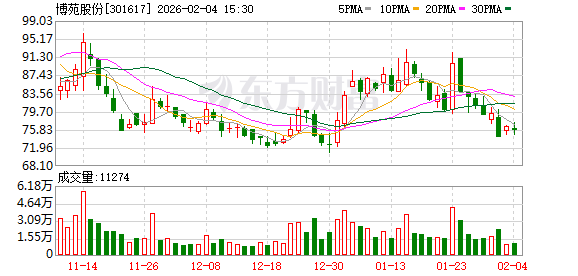 博苑股份:截至2026年1月30日股东总户数为9117户2026-02-04 阅读(1)
 -
 新华社权威速览丨中央一号文件划重点,2026年“三农”工作这么干2026-02-04 阅读(1)
 -
 桑坦德银行跌近4% 拟122亿美元收购美国韦伯斯特银行2026-02-04 阅读(1)
 -
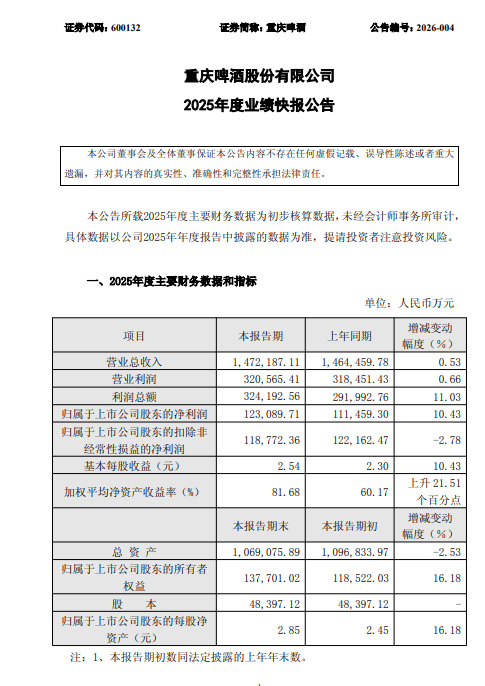 重庆啤酒业绩快报:2025年净利润12.31亿元,同比增长10.43%2026-02-04 阅读(1)
 -
 大瓜!股民集体举报国投瑞银基金2026-02-04 阅读(1)
-
 windows 7鼠标停顿怎么办?windows 7 usb鼠标停顿的原因以及解决2001-12-01 阅读(40)
 -
 windows 7系统的电脑发出嘟嘟嘟的声音该怎么解决?2001-12-01 阅读(50)
 -
 如何删除自带的不常用应用为windows 7减负2001-12-01 阅读(45)
 -
 如何设置Win 7通知栏重新显示电源按钮2001-12-01 阅读(43)
 -
 Windows7开机后出现黑一下屏性能降低2002-01-01 阅读(46)
 -
 Skylake平台不能通过USB接口装windows 7系统2002-01-01 阅读(46)
 -
 windows 7系统下Windows服务被流氓软件注册怎么办?Windows服务2002-01-01 阅读(44)
 -
 Windows7播放电影视频蓝屏无论什么格式都会蓝屏2002-01-01 阅读(42)
-
 Windows7安装Solr+Tomcat的方法2010-05-01 阅读(215)
 -
 windows 7下先装SQL2005后装SQL2000 正确连接方法2010-10-01 阅读(143)
 -
 站长需要掌握的知识与技能2025-10-13 阅读(114)
 -
 马斯克:特斯拉2024年AI投资百亿,FSD 安全水平将超过人类2025-03-21 阅读(104)
 -
 H5项目调用微信授权并实现登录功能2025-10-13 阅读(97)
 -
 OpenStack 入门教程2015-05-14 阅读(94)
 -
 华为称已准备好取代谷歌应用:有10亿美元全球基金2019-12-25 阅读(93)
 -
 西部数据WD 25年第三季度财报:营收为 22.9 亿美元,环比下降 5%2025-05-02 阅读(90)
- 随机文章




- 热评文章
- 最近评论
-
