

通过修改Ubuntu的Grub来调整多系统的启动顺序
机器上装了双系统(Ubuntu 8.10+WinXP),每次启动的时候假如不在Grub那里选择WinXP的话就会默认启动到Ubuntu。但是一般我都是用WinXP的,这样每次选择对我这种懒人来说太麻烦了,所以今天我就修改了Grub的配置,让它默认启动WinXP...
我们进入Ubuntu后,打开终端,先备份一下Grub的启动列表文件menu.lst:
复制代码代码如下:
然后使用Gedit来编辑menu.lst
复制代码代码如下:
打开以后会看到很长很长的东西,不过那些以"#"开头的东西全部都是没用的,而大家要修改的也只有一个地方(大概在18行左右):default 0
这个0就代表了Grub默认启动项为Ubuntu,而大家要改成...这个因机而已了,我们往下看。
# menu.lst - See: grub(8), info grub, update-grub(8)
# grub-install(8), grub-floppy(8),
# grub-md5-crypt, /usr/share/doc/grub
# and /usr/share/doc/grub-doc/.
## default num
# Set the default entry to the entry number NUM. Numbering starts from 0, and
# the entry number 0 is the default if the command is not used.
#
# You can specify 'saved' instead of a number. In this case, the default entry
# is the entry saved with the command 'savedefault'.
# WARNING: If you are using dmraid do not use 'savedefault' or your
# array will desync and will not let you boot your system.
default 0
## timeout sec
# Set a timeout, in SEC seconds, before automatically booting the default entry
# (normally the first entry defined).
timeout 10
## hiddenmenu
# Hides the menu by default (press ESC to see the menu)
#hiddenmenu
# Pretty colours
#color cyan/blue white/blue
## password ['--md5'] passwd
# If used in the first section of a menu file, disable all interactive editing
# control (menu entry editor and command-line) and entries protected by the
# command 'lock'
# e.g. password topsecret
# password --md5 $1$gLhU0/$aW78kHK1QfV *** 2b2znUoe/
# password topsecret
#
# examples
#
# title Windows 95/98/NT/2000
# root (hd0,0)
# makeactive
# chainloader +1
#
# title Linux
# root (hd0,1)
# kernel /vmlinuz root=/dev/hda2 ro
#
#
# Put static boot stanzas before and/or after AUTOMAGIC KERNEL LIST
### BEGIN AUTOMAGIC KERNELS LIST
## lines between the AUTOMAGIC KERNELS LIST markers will be modified
## by the debian update-grub script except for the default options below
## DO NOT UNCOMMENT THEM, Just edit them to your needs
## ## Start Default Options ##
## default kernel options
## default kernel options for automagic boot options
## If you want special options for specific kernels use kopt_x_y_z
## where x.y.z is kernel version. Minor versions can be omitted.
## e.g. kopt=root=/dev/hda1 ro
## kopt_2_6_8=root=/dev/hdc1 ro
## kopt_2_6_8_2_686=root=/dev/hdc2 ro
# kopt=root=UUID=898431cf-4249-4de1-a492-7e2f4afd49a9 ro locale=zh_CN
## default grub root device
## e.g. groot=(hd0,0)
# groot=3738b672-62f3-490d-916a-cad379fdb57b
## should update-grub create alternative automagic boot options
## e.g. alternative=true
## alternative=false
# alternative=true
## should update-grub lock alternative automagic boot options
## e.g. lockalternative=true
## lockalternative=false
# lockalternative=false
## additional options to use with the default boot option, but not with the
## alternatives
## e.g. defoptions=vga=791 resume=/dev/hda5
# defoptions=quiet splash
## should update-grub lock old automagic boot options
## e.g. lockold=false
## lockold=true
# lockold=false
## Xen hypervisor options to use with the default Xen boot option
# xenhopt=
## Xen Linux kernel options to use with the default Xen boot option
# xenkopt=console=tty0
## altoption boot targets option
## multiple altoptions lines are allowed
## e.g. altoptions=(extra menu suffix) extra boot options
## altoptions=(recovery) single
# altoptions=(recovery mode) single
## controls how many kernels should be put into the menu.lst
## only counts the first occurence of a kernel, not the
## alternative kernel options
## e.g. howmany=all
## howmany=7
# howmany=all
## should update-grub create memtest86 boot option
## e.g. memtest86=true
## memtest86=false
# memtest86=true
## should update-grub adjust the value of the default booted system
## can be true or false
# updatedefaultentry=false
## should update-grub add savedefault to the default options
## can be true or false
# savedefault=false
## ## End Default Options ##
title Ubuntu 8.10, kernel 2.6.27-11-generic
uuid 3738b672-62f3-490d-916a-cad379fdb57b
kernel /vmlinuz-2.6.27-11-generic root=UUID=898431cf-4249-4de1-a492-7e2f4afd49a9 ro locale=zh_CN quiet splash
initrd /initrd.img-2.6.27-11-generic
quiet
title Ubuntu 8.10, kernel 2.6.27-11-generic (recovery mode)
uuid 3738b672-62f3-490d-916a-cad379fdb57b
kernel /vmlinuz-2.6.27-11-generic root=UUID=898431cf-4249-4de1-a492-7e2f4afd49a9 ro locale=zh_CN single
initrd /initrd.img-2.6.27-11-generic
title Ubuntu 8.10, kernel 2.6.27-7-generic
uuid 3738b672-62f3-490d-916a-cad379fdb57b
kernel /vmlinuz-2.6.27-7-generic root=UUID=898431cf-4249-4de1-a492-7e2f4afd49a9 ro locale=zh_CN quiet splash
initrd /initrd.img-2.6.27-7-generic
quiet
title Ubuntu 8.10, kernel 2.6.27-7-generic (recovery mode)
uuid 3738b672-62f3-490d-916a-cad379fdb57b
kernel /vmlinuz-2.6.27-7-generic root=UUID=898431cf-4249-4de1-a492-7e2f4afd49a9 ro locale=zh_CN single
initrd /initrd.img-2.6.27-7-generic
title Ubuntu 8.10, memtest86+
uuid 3738b672-62f3-490d-916a-cad379fdb57b
kernel /memtest86+.bin
quiet
### END DEBIAN AUTOMAGIC KERNELS LIST
# This is a divider, added to separate the menu items below from the Debian
# ones.
title Other operating systems:
root
# This entry automatically added by the Debian installer for a non-linux OS
# on /dev/sda1
title Microsoft Windows XP Professional
root (hd0,0)
savedefault
makeactive
chainloader +1
恩,我用了7种不同的颜色标记了下面的每一部分,依次编号为0、1、2、3、4、5、6。所以我们看到WinXP系统的编号是6,所以我们只要把 default 0 修改为 default 6 就可以了。
这个是我的电脑,XP的编号为6,你的电脑需要你自己去看是多少。
PS.这里有个技巧,你需要数有多少个title就可以啦,哈哈!
另外上面我不同颜色标记的东西是可以删除的,删除以后Grub启动列表里的对应项目就会消失,貌似可以美观一些,嘎嘎...
“通过修改Ubuntu的Grub来调整多系统的启动顺序” 的相关文章
windows 7/8.1正在启动windows时间长的解决方法
正在启动windows时间长怎么办 小编带来了Windows 7/8.1正在启动windows时间长解决方法,假如有朋友在安装完Windows系统之后一直停留在“正在启动windows”的话,不妨试一试下文的方法哦~ 原因:Windows 7/8.1不完全支持UEFI,需要CSM(Comp...

windows 7系统如何设置休眠时不断网以便继续完成下载
在Windows 7系统的默认设置中,当Windows 7系统处于休眠状态时,会同时断网的。如此一来,无论你正在使用迅雷还是快车等下载工具,同样可以在休眠状态下继续完成下载,最大限度做到从身边的小事开始支持环保。下面我们就详细介绍操作步骤,帮助Windows 7系统用户实现这一节能目标。 首先需要...
如何设置Win 7通知栏重新显示电源按钮
有些使用本本的朋友可能会发现,右下角通知栏区域会无法显示电源按钮,导致在插上电源或者是使用电池的时候都无法进行区分。造成这种情况大部分都是因为使用了第三方修改过的系统版本或者对于系统优化过度,所以今天就来解决这个问题。 第一步:在开始菜单的搜索窗口输入“gpedit.msc”,进入组策略编辑器,依...
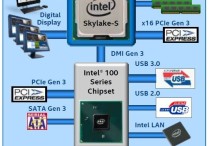
Skylake平台不能通过USB接口装windows 7系统
Intel会在2015年推出Broadwell、Skylake两代14nm处理器,前者可以使用9系芯片组,Skylake升级到了LGA1151插槽,需要搭配新的100系列芯片组,但初期的Skylake-S又不能超倍频,所以今年Q2季度开始会很混杂。Skylake一代会支持DDR4,100系列芯片组升...
ubuntu14.04打开个几个应用窗口最小化后怎么切换呢?
ubuntu14.04应用窗口列表在哪里?在ubuntu下打开个几个应用窗口最小化后怎么切换呢,应用窗口列表在哪里呢? 1、多打开几个chrome浏览器窗口。 2、然后都做最小化处理。 3、现在我们在桌面左边的面板上找到"左右两边有小白点"的chrome浏览器应用图标,这就是chr...
windows 7/8/xp系统关闭自动播放功能禁止音频媒体自动播放
Windows 7/8系统: 控制面板——自动播放——取消掉为所有媒体和设备设置自动播放 winXP系统: 开始—运行—gpedit.msc—计算机配置—管理模板—系统—关闭自动播放—已启用—所有驱动器—确定 关闭自动运行功能说明: 一旦您将媒体插入驱动器...
- 最新文章
- 热门阅读
-
- 站长需要掌握的知识与技能
114 浏览站长资讯
- 马斯克:特斯拉2024年AI投资百亿,FSD 安全水平将超过人类
104 浏览站长资讯
- H5项目调用微信授权并实现登录功能
97 浏览未命名
- 西部数据WD 25年第三季度财报:营收为 22.9 亿美元,环比下降 5%
90 浏览站长资讯
- 新站怎样做好网络营销步实用方案解决推广难题实现长期排名
89 浏览SEO推广
- 站长需要掌握的知识与技能
-
最新文章
随机文章
热门文章
-
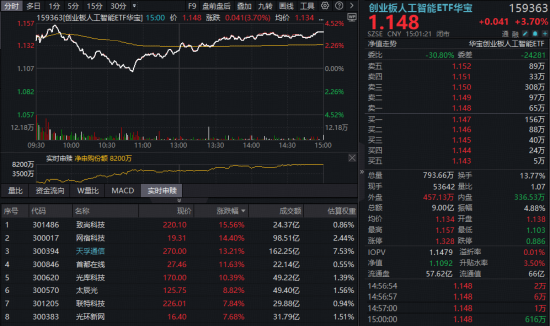 天孚通信7日飙涨超42%创新高!光模块“估值盛宴”到哪了?创业板人工智能ETF(159363)获资金追捧2026-02-03 阅读(0)
 -
 特朗普阵营中期选举前募款4.29亿美元,加密和AI巨头慷慨解囊!2026-02-03 阅读(0)
 -
 德弘入主后再现人事动荡?大润发否认高鑫零售CEO李卫平被查2026-02-03 阅读(0)
 -
 云内动力索赔征集中,投资者还可参与2026-02-03 阅读(1)
 -
 腾讯控股一度大跌6%,只因一则传言?2026-02-03 阅读(1)
 -
 特朗普威胁要起诉哈佛大学 索赔10亿美元2026-02-03 阅读(1)
 -
 医渡云获评“年度卓越惠民保科技服务商”2026-02-03 阅读(1)
 -
 印度股汇大涨 关税协议提振市场情绪2026-02-03 阅读(1)
-
 windows 7系统如何设置休眠时不断网以便继续完成下载2001-12-01 阅读(56)
 -
 如何删除自带的不常用应用为windows 7减负2001-12-01 阅读(45)
 -
 windows 7查看电脑近期使用情况确定有没有被他人使用2002-01-01 阅读(43)
 -
 Skylake平台不能通过USB接口装windows 7系统2002-01-01 阅读(46)
 -
 解决windows 7无法将程序锁定到任务栏或附到开始菜单的方法2002-01-01 阅读(45)
 -
 Windows7截图出现黑屏导致截的图黑呼呼一片2002-01-01 阅读(41)
 -
 windows 7如何给c盘扩容 图解windows 7 64位系统C盘扩容方法(自2002-01-01 阅读(37)
 -
 windows 7旗舰版系统提示应用程序错误代码0xc0000409的故障原因2002-01-01 阅读(37)
-
 Windows7安装Solr+Tomcat的方法2010-05-01 阅读(215)
 -
 windows 7下先装SQL2005后装SQL2000 正确连接方法2010-10-01 阅读(143)
 -
 站长需要掌握的知识与技能2025-10-13 阅读(114)
 -
 马斯克:特斯拉2024年AI投资百亿,FSD 安全水平将超过人类2025-03-21 阅读(104)
 -
 H5项目调用微信授权并实现登录功能2025-10-13 阅读(97)
 -
 OpenStack 入门教程2015-05-14 阅读(94)
 -
 华为称已准备好取代谷歌应用:有10亿美元全球基金2019-12-25 阅读(93)
 -
 西部数据WD 25年第三季度财报:营收为 22.9 亿美元,环比下降 5%2025-05-02 阅读(90)
- 随机文章


- 热评文章
- 最近评论
-
