

SQL Server 带列名导出到excel的实际操作
文章主要描述的是SQL Server 带列名导出到excel的实际操过程,以及在其实际操作中的值得我们大家注意的事项与其实际应用代码的描述,以下就是文章的主要内容的详细描述,望大家在浏览之后会对其有更深的了解。
sql语句就用下面的存储过程
数据SQL Server 带列名导出Excel
导出查询中的数据到Excel,包含字段名,文件为真正的Excel文件
,假如文件不存在,将自动创建文件
,假如表不存在,将自动创建表
基于通用性考虑,仅支持SQL Server 带列名导出标准数据类型
邹建 2003.10*/
调用示例
p_exporttb @sqlstr='select * from 地区资料'
,@path='c:',@fname='aa.xls',@sheetname='地区资料'
*/ if exists (select * from dbo.sysobjects where id = object_id(N'[dbo].[p_exporttb]') and OBJECTPROPERTY(id, N'IsProcedure') = 1) drop procedure [dbo].[p_exporttb] GO
create proc p_exporttb
@sqlstr sysname, 查询语句,假如查询语句中使用了order by ,请加上top 100 percent
@path nvarchar(1000), 文件存放目录
@fname nvarchar(250), 文件名
@sheetname varchar(250)='' 要创建的工作表名,默认为文件名
as declare @err int,@src nvarchar(255),@desc nvarchar(255),@out int declare @obj int,@constr nvarchar(1000),@sql varchar(8000),@fdlist varchar(8000)
参数检测
if isnull(@fname,'')='' set @fname='temp.xls' if isnull(@sheetname,'')='' set @sheetname=replace(@fname,'.','#')
SQL Server 带列名导出至excel,检查文件是否已经存在
if right(@path,1)<>'' set @path=@path+'' create table #tb(a bit,b bit,c bit) set @sql=@path+@fname insert into #tb exec master..xp_fileexist @sql
数据库创建语句
set @sql=@path+@fname if exists(select 1 from #tb where a=1) set @constr='DRIVER={Microsoft Excel Driver (*.xls)};DSN='''';READON *** =FALSE' +';CREATE_DB="'+@sql+'";DBQ='+@sql else set @constr='Provider=Microsoft.Jet.OLEDB.4.0;Extended Properties="Excel 5.0;HDR=YES' +';DATABASE='+@sql+'"'
连接数据库
exec @err=sp_oacreate 'adodb.connection',@obj out if @err<>0 goto lberr exec @err=sp_oamethod @obj,'open',null,@constr if @err<>0 goto lberr
创建表的SQL
declare @tbname sysname set @tbname='##tmp_'+convert(varchar(38),newid()) set @sql='select * into ['+@tbname+'] from('+@sqlstr+') a' exec(@sql) select @sql='',@fdlist='' select @fdlist=@fdlist+','+a.name ,@sql=@sql+',['+a.name+'] ' +case when b.name in('char','nchar','varchar','nvarchar') then 'text('+cast(case when a.length>255 then 255 else a.length end as varchar)+')' when b.name in('tynyint','int','bigint','tinyint') then 'int' when b.name in(' *** alldatetime','datetime') then 'datetime' when b.name in('money',' *** allmoney') then 'money' else b.name end FROM tempdb..syscolumns a left join tempdb..systypes b on a.xtype=b.xusertype where b.name not in('image','text','uniqueidentifier','sql_variant','ntext','varbinary','binary','timestamp') and a.id=(select id from tempdb..sysobjects where name=@tbname) select @sql='create table ['+@sheetname +']('+substring(@sql,2,8000)+')' ,@fdlist=substring(@fdlist,2,8000) exec @err=sp_oamethod @obj,'execute',@out out,@sql if @err<>0 goto lberr exec @err=sp_oadestroy @obj
导入数据
set @sql='openrowset(''MICROSOFT.JET.OLEDB.4.0'',''Excel 5.0;HDR=YES ;DATABASE='+@path+@fname+''',['+@sheetname+' $])' exec('insert into '+@sql+'('+@fdlist+') select '+@fdlist+' from ['+@tbname+']') set @sql='drop table ['+@tbname+']' exec(@sql) return lberr: exec sp_oageterrorinfo 0,@src out,@desc out lbexit:
select cast(@err as varbinary(4)) as 错误号
,@src as 错误源,@desc as 错误描述
select @sql,@constr,@fdlist
以上的相关内容就是对
SQL Server 带列名导出至excel的介绍,望你能有所收获。
“SQL Server 带列名导出到excel的实际操作” 的相关文章
上帝不止一个 更多Windows7 快捷模式.
国外媒体CNET NEWS就这个“上帝模式”和微软Windows部门主管Steven Sinofsky进行邮件交流后得知,这其实只是众多快捷方式中的一个,Sinofsky在邮件里给出了十多个这类快捷方式的关键字符串。 它们的建立方法和之前的“上帝模式”一样,在任意位置新建的一个文件夹,然后改名即可...

微软今天正式停止对windows 7的主流支持
北京时间1月13日消息,根据计划,微软将于2015年1月13日正式结束对Windows 7SP1的“主流支持”,而这也标志着“扩展支持”阶段的开始,这个阶段将于2020年1月14日结束。 2013年10月份,微软终止销售独立的Windows 7系统安装包,并要求制造商于2014年10月份停止生...

Skylake平台不能通过USB接口装windows 7系统
Intel会在2015年推出Broadwell、Skylake两代14nm处理器,前者可以使用9系芯片组,Skylake升级到了LGA1151插槽,需要搭配新的100系列芯片组,但初期的Skylake-S又不能超倍频,所以今年Q2季度开始会很混杂。Skylake一代会支持DDR4,100系列芯片组升...
windows 7系统怎么取消禁ping命令?
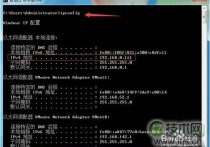
当我在虚拟机的linux系统中ping本机的ip发现ping不通,而本机可以ping通虚拟机中的ip。应该是出于安全考虑吧,Windows 7默认在防火墙里禁止了。 1、查看主机ip 打开“开始”程序中的“附件”,找到“命令提示符”打开。输入命令:ipconfig,可以看到本机的ip是192.1...

微软为windows 7用户重新发布补丁KB2952664 帮助提升Win10升级体
1月13日消息,微软今天为Windows 7(SP1)用户重新推送了编号为KB2952664的更新补丁,该更新在官方KB知识库中的描述为“Windows 7系统升级兼容性更新”,用于帮助微软改进当前版本系统,提升升级到最新版Win10系统的体验。 这项更新还用于在系统中显示Windows10更新提...
windows 7 xp宋体 成功替换windows 7宋体为XP宋体的方法
很多朋友从XP升级迈入了Windows 7的殿堂,却发现,Windows 7确实好用和华丽,可是有一些地方不太适应。今天举出一则例子,是把Windows 7系统下的宋体替换为XP系统下的字体。这个并非无聊,大家去网上搜索下,就知道有多少人想要这么做了。 没办法,每人的需求总是那么的不同,好吧,怀旧...
- 最新文章
-
- 马斯克团队密访 光伏股“回血”2200亿元
1秒前
- 诺和诺德预警2026年销售额下滑
60分钟前
- 一月晴雨表预示美股将继续上行
2小时前
- 欧洲债市:欧洲政府债券小幅上涨 欧元区通胀放缓
3小时前
- AMD股价大跌,财报令投资者失望
4小时前
- 马斯克团队密访 光伏股“回血”2200亿元
- 热门阅读
-
- 站长需要掌握的知识与技能
114 浏览站长资讯
- 马斯克:特斯拉2024年AI投资百亿,FSD 安全水平将超过人类
104 浏览站长资讯
- H5项目调用微信授权并实现登录功能
97 浏览未命名
- 新站怎样做好网络营销步实用方案解决推广难题实现长期排名
90 浏览SEO推广
- 西部数据WD 25年第三季度财报:营收为 22.9 亿美元,环比下降 5%
90 浏览站长资讯
- 站长需要掌握的知识与技能
-
最新文章
随机文章
热门文章
-
 马斯克团队密访 光伏股“回血”2200亿元2026-02-05 阅读(0)
 -
 诺和诺德预警2026年销售额下滑2026-02-05 阅读(0)
 -
 一月晴雨表预示美股将继续上行2026-02-05 阅读(1)
 -
 欧洲债市:欧洲政府债券小幅上涨 欧元区通胀放缓2026-02-05 阅读(1)
 -
 AMD股价大跌,财报令投资者失望2026-02-05 阅读(1)
 -
 美联储理事米兰辞去白宫经济顾问委员会主席职务2026-02-05 阅读(1)
 -
 美国推进关键矿物保障2026-02-05 阅读(1)
 -
 亚马逊AI助手Alexa+现已面向全美用户开放2026-02-05 阅读(1)
-
windows 7查看电脑近期使用情况确定有没有被他人使用2002-01-01 阅读(43)
-
 windows 7系统开机提示Windows驱动器未就绪的故障原因及解决方法2002-01-01 阅读(34)
 -
 windows 7 xp宋体 成功替换windows 7宋体为XP宋体的方法2002-02-01 阅读(45)
 -
3个实用的windows 7 DOS操作系统技巧2002-02-01 阅读(39)
-
 Windows7启动后连上了网但网络图标不停转圈怎么办2002-02-01 阅读(33)
 -
 windows 7禁用粘滞键(连续按 Shift 五次)的方法2002-02-01 阅读(34)
 -
 去掉电脑右下角出现windows 7测试模式内部版本7601的方法2002-02-01 阅读(35)
 -
 QQ远程协助不能控制windows 7系统的电脑该怎么办2002-02-01 阅读(34)
-
 Windows7安装Solr+Tomcat的方法2010-05-01 阅读(215)
 -
 windows 7下先装SQL2005后装SQL2000 正确连接方法2010-10-01 阅读(143)
 -
 站长需要掌握的知识与技能2025-10-13 阅读(114)
 -
 马斯克:特斯拉2024年AI投资百亿,FSD 安全水平将超过人类2025-03-21 阅读(104)
 -
H5项目调用微信授权并实现登录功能2025-10-13 阅读(97)
-
 OpenStack 入门教程2015-05-14 阅读(94)
 -
 华为称已准备好取代谷歌应用:有10亿美元全球基金2019-12-25 阅读(93)
 -
 西部数据WD 25年第三季度财报:营收为 22.9 亿美元,环比下降 5%2025-05-02 阅读(90)
- 随机文章



- 热评文章
- 最近评论
-
