

windows 7蓝屏代码1000008E解决 ***
问题反映:Windows 7电脑在浏览网页时候出现蓝屏,使用的浏览器是IE 11,Windows 7蓝屏代码008e,附上蓝屏日志信息,请帮助解决。
蓝屏日志如下:
复制代码代码如下:
Microsoft (R) Windows Debugger Version 6.11.0001.404 X86
Copyright (c) Microsoft Corporation. All rights reserved.
Loading Dump File [C:Documents and SettingsAdministrator桌面71614-18203-01.dmp]
Mini Kernel Dump File: Only registers and stack trace are available
Symbol search path is: *** Invalid ***
*********************************************************************
* Symbol loading may be unreliable without a symbol search path. *
* Use .symfix to have the debugger choose a symbol path. *
* After setting your symbol path, use .reload to refresh symbol locations. *
*************************************************************
Executable search path is:
*********************************************************************
* Symbols can not be loaded because symbol path is not initialized. *
* *
* The Symbol Path can be set by: *
* using the _NT_SYMBOL_PATH environment variable. *
* using the -y argument when starting the debugger. *
* using .sympath and .sympath+ *
*********************************************************************
Unable to load image ntoskrnl.exe, Win32 error 0n2
*** WARNING: Unable to verify timestamp for ntoskrnl.exe
*** ERROR: Module load completed but symbols could not be loaded for ntoskrnl.exe
Windows 7Kernel Version 7601 (Service Pack 1) MP (2 procs) Free x86 compatible
Product: WinNt, suite: TerminalServer SingleUserTS
Machine Name:
Kernel base = 0x83e15000 PsLoadedModuleList = 0x83f5e5b0
Debug session time: Wed Jul 16 02:24:00.417 2014 (GMT+8)
System Uptime: 0 days 4:08:35.290
*****************************************************************
* Symbols can not be loaded because symbol path is not initialized. *
* *
* The Symbol Path can be set by: *
* using the _NT_SYMBOL_PATH environment variable. *
* using the -y argument when starting the debugger. *
* using .sympath and .sympath+ *
*********************************************************************
Unable to load image ntoskrnl.exe, Win32 error 0n2
*** WARNING: Unable to verify timestamp for ntoskrnl.exe
*** ERROR: Module load completed but symbols could not be loaded for ntoskrnl.exe
Loading Kernel Symbols
...............................................................
................................................................
................
Loading User Symbols
Loading unloaded module list
............
Unable to load image fltmgr.sys, Win32 error 0n2
*** WARNING: Unable to verify timestamp for fltmgr.sys
*** ERROR: Module load completed but symbols could not be loaded for fltmgr.sys
************************************************* Bugcheck Analysis *** Use ! *** yze -v to get detailed debugging information.
BugCheck 1000008E, {c0000005, 89bca885, 9edd2714, 0}
*** WARNING: Unable to verify timestamp for qutmdrv.sys
*** ERROR: Module load completed but symbols could not be loaded for qutmdrv.sys
*** WARNING: Unable to verify timestamp for *** Protect.sys
*** ERROR: Module load completed but symbols could not be loaded for *** Protect.sys
***** Kernel symbols are WRONG. Please fix symbols to do *** ysis.
*****************************************************************
*** ***
*** ***
*** Your debugger is not using the correct symbols ***
*** ***
*** In order for this command to work properly, your symbol path ***
*** must point to .pdb files that have full type information. ***
*** ***
*** Certain .pdb files (such as the public OS symbols) do not ***
*** contain the required information. Contact the group that ***
*** provided you with these symbols if you need this command to ***
*** work. ***
*** ***
*** Type referenced: nt!_KPRCB ***
*** ***
******************************************************************
*** Your debugger is not using the correct symbols ***
*** ***
*** In order for this command to work properly, your symbol path ***
*** must point to .pdb files that have full type information. ***
*** ***
*** Certain .pdb files (such as the public OS symbols) do not ***
*** contain the required information. Contact the group that ***
*** provided you with these symbols if you need this command to ***
*** work. ***
*** ***
*** Type referenced: nt!_KPRCB ***
*** ***
*************************************************************************
*************************************************************************
*** ***
*** ***
*** Your debugger is not using the correct symbols ***
*** ***
*** In order for this command to work properly, your symbol path ***
*** must point to .pdb files that have full type information. ***
*** ***
*** Certain .pdb files (such as the public OS symbols) do not ***
*** contain the required information. Contact the group that ***
*** provided you with these symbols if you need this command to ***
*** work. ***
*** ***
*** Type referenced: nt!_KPRCB ***
*** ***
*************************************************************************
*********************************************************************
* Symbols can not be loaded because symbol path is not initialized. *
* *
* The Symbol Path can be set by: *
* using the _NT_SYMBOL_PATH environment variable. *
* using the -y argument when starting the debugger. *
* using .sympath and .sympath+ *
*********************************************************************
*********************************************************************
* Symbols can not be loaded because symbol path is not initialized. *
* *
* The Symbol Path can be set by: *
* using the _NT_SYMBOL_PATH environment variable. *
* using the -y argument when starting the debugger. *
* using .sympath and .sympath+ *
*********************************************************************
Probably caused by : qutmdrv.sys ( qutmdrv+cd12 )
Followup: MachineOwner
---------
【编辑分析及建议】经过查看文件,了解到qutmdrv.sys引起的。qutmdrv.sys似乎是360的驱动,建议您卸载掉再查看问题是否存在。
“windows 7蓝屏代码1000008E解决 *** ” 的相关文章
windows 7鼠标停顿怎么办?windows 7 usb鼠标停顿的原因以及解决
很多使用Windows 7系统的朋友都想小编反应,假如暂停使用电脑,鼠标会出现停顿现象,这是怎么回事呢 该怎么解决呢 下面就和小编一起去看下Windows 7 usb鼠标停顿的解决方法吧。 由于Windows 7系统中有一项USB选择性暂停造成的。这项设置主要为了节电,当他检测到用户没有对系统进行...
windows 7系统开机提示press any key to restart的故障分析及解
Windows 7 64位系统开机后提示"press any key to restart",无法进入系统了,具体现象如下所示: 故障分析: 故障的主要原因还是硬盘的问题,可以先检查是不是接触不良或坏了,进行修复或更换即可。 解决方法: 1、开机按F8不动到高级选项出现在松手,选“...

微软今天正式停止对windows 7的主流支持
北京时间1月13日消息,根据计划,微软将于2015年1月13日正式结束对Windows 7SP1的“主流支持”,而这也标志着“扩展支持”阶段的开始,这个阶段将于2020年1月14日结束。 2013年10月份,微软终止销售独立的Windows 7系统安装包,并要求制造商于2014年10月份停止生...
windows 7系统怎么取消禁ping命令?
当我在虚拟机的linux系统中ping本机的ip发现ping不通,而本机可以ping通虚拟机中的ip。应该是出于安全考虑吧,Windows 7默认在防火墙里禁止了。 1、查看主机ip 打开“开始”程序中的“附件”,找到“命令提示符”打开。输入命令:ipconfig,可以看到本机的ip是192.1...

windows 7系统中不能把程序锁定到任务栏的解决方法图文讲解
最近小编在使用Windows 7的时侯遇到一个问题,就是应用程序和快捷方式不能锁定到任务栏,我当时不知道怎么回事,但是很多现有的方法都不能解决这个问题。现在我把我的解决的方法分享给大家以作参考。 问题分析 经过思考,初步判断出现该问题的原因是由于使用第三方优化软件消除快捷方式的小箭头引起的。...

windows 7玩战争策略游戏星际争霸花屏问题解决方法
星际争霸是一款非常经典的战争策略游戏,虽然已有十多年的历史,但依然有一批忠实的游戏玩家坚守着星际战争,而随着Windows系统的不断更新,Windows 7下玩星际争霸已经不能像WinXP那样顺利了,很多Windows 7玩家在玩星际争霸时候都会出现花屏问题,那么我们该如何应对呢 Windo...
- 最新文章
- 热门阅读
-
- 站长需要掌握的知识与技能
114 浏览站长资讯
- 马斯克:特斯拉2024年AI投资百亿,FSD 安全水平将超过人类
104 浏览站长资讯
- H5项目调用微信授权并实现登录功能
97 浏览未命名
- 新站怎样做好网络营销步实用方案解决推广难题实现长期排名
90 浏览SEO推广
- 西部数据WD 25年第三季度财报:营收为 22.9 亿美元,环比下降 5%
90 浏览站长资讯
- 站长需要掌握的知识与技能
-
最新文章
随机文章
热门文章
-
 艾伯维预测2026年利润超预期,新型免疫药物销售强劲2026-02-04 阅读(0)
 -
 博苑股份:截至2026年1月30日股东总户数为9117户2026-02-04 阅读(1)
 -
 新华社权威速览丨中央一号文件划重点,2026年“三农”工作这么干2026-02-04 阅读(0)
 -
 桑坦德银行跌近4% 拟122亿美元收购美国韦伯斯特银行2026-02-04 阅读(1)
 -
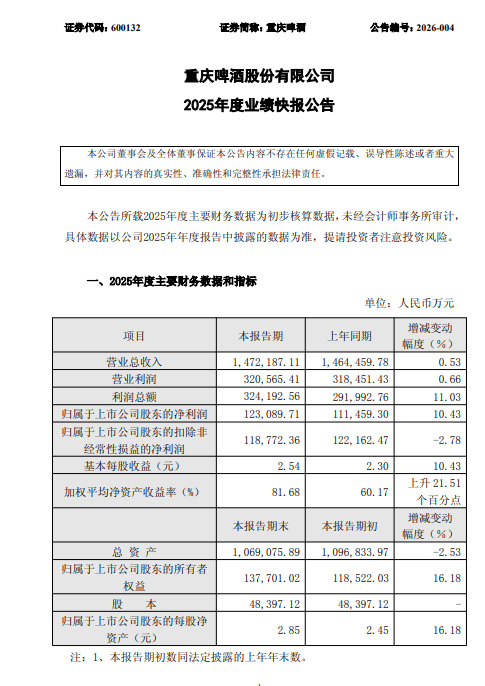 重庆啤酒业绩快报:2025年净利润12.31亿元,同比增长10.43%2026-02-04 阅读(1)
 -
 大瓜!股民集体举报国投瑞银基金2026-02-04 阅读(1)
 -
 地缘暴雷叠加降息预期,金价续涨逾2%收复5000关口2026-02-04 阅读(1)
 -
 除了12315,还有哪些正规靠谱的投诉渠道?2026-02-04 阅读(1)
-
 windows 7系统如何设置休眠时不断网以便继续完成下载2001-12-01 阅读(56)
 -
 如何设置Win 7通知栏重新显示电源按钮2001-12-01 阅读(43)
 -
 上帝不止一个 更多Windows7 快捷模式.2002-01-01 阅读(41)
 -
 windows 7查看电脑近期使用情况确定有没有被他人使用2002-01-01 阅读(43)
 -
 Skylake平台不能通过USB接口装windows 7系统2002-01-01 阅读(46)
 -
 windows 7系统件夹和文件都不显示名字如何解决2002-01-01 阅读(50)
 -
 ubuntu14.04打开个几个应用窗口最小化后怎么切换呢?2002-01-01 阅读(38)
 -
 windows 7如何给c盘扩容 图解windows 7 64位系统C盘扩容方法(自2002-01-01 阅读(38)
-
 Windows7安装Solr+Tomcat的方法2010-05-01 阅读(215)
 -
 windows 7下先装SQL2005后装SQL2000 正确连接方法2010-10-01 阅读(143)
 -
 站长需要掌握的知识与技能2025-10-13 阅读(114)
 -
 马斯克:特斯拉2024年AI投资百亿,FSD 安全水平将超过人类2025-03-21 阅读(104)
 -
 H5项目调用微信授权并实现登录功能2025-10-13 阅读(97)
 -
 OpenStack 入门教程2015-05-14 阅读(94)
 -
 华为称已准备好取代谷歌应用:有10亿美元全球基金2019-12-25 阅读(93)
 -
 西部数据WD 25年第三季度财报:营收为 22.9 亿美元,环比下降 5%2025-05-02 阅读(90)
- 随机文章



- 热评文章
- 最近评论
-
